
2026年11月13日

This article is a localized edition of the Japanese original. Read the Japanese original
"HTTP 408 Request Timeout" means that the server's waiting time ran out before the visitor's browser finished sending the request. It points in the opposite direction from a 504, which happens when the server takes too long to process something. Most 408s come from the path before the request reaches the server (the visitor's connection, browser, or a proxy in between) or from a receive timeout on the server that is too short.
Here is the short version.
- If it happens to only one visitor, the cause is usually on the visitor's side (their connection, browser extensions, a VPN or antivirus proxy), and changing server settings won't fix it.
- If it happens in WordPress only when uploading large files, one of these is too short: Nginx's
client_body_timeout, Apache'sRequestReadTimeout, or the timeout of a load balancer or CDN in front of the server. - Even if your access log shows many 408s, most of them are connections that the browser opened in advance and then closed without sending anything. Visitors never see them.
- When heavy processing times out, the result is a 504 (or 502), not a 408. Use the table below to check which one you have first.
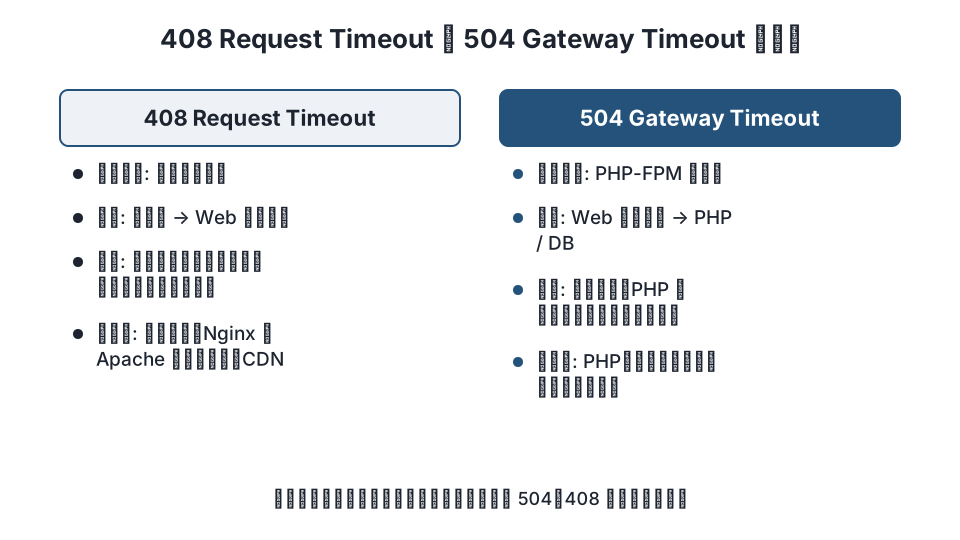
What 408 means and how it differs from 504
408 Request Timeout is an HTTP status code indicating that the request was not completed within the time the server was prepared to wait while receiving it (RFC 9110 15.5.9). In other words, "the server was idle, but the visitor never finished sending."
| Item | 408 Request Timeout | 504 Gateway Timeout |
|---|---|---|
| What the server was waiting for | Data sent by the visitor (browser) | A response from a backend (PHP-FPM, another server) |
| Where it happens | Visitor → web server | Web server → PHP or database |
| Typical causes | Slow connections, large uploads, short receive timeouts, connections that send nothing | Heavy processing, PHP's max_execution_time, fastcgi_read_timeout |
| Where to fix it | Visitor side, Nginx / Apache receive timeouts, CDN / load balancer | PHP, database, response timeouts such as proxy_read_timeout |
When a page takes a long time to load and then fails, the error is almost always a 504 or 502. Fixing Nginx 502 Bad Gateway errors covers that case.
Finding where it happens
Check in this order to decide where the fix belongs.
- Who is affected. If it's only you or a specific visitor, the cause is on the visitor's side. If everyone sees it during a specific action (uploads, long form submissions), the cause is the server or a device in front of it.
- Does it reproduce on another connection or browser? Try smartphone tethering or a private window. If it doesn't reproduce, the cause is on the visitor's side.
- Does the server's access log show a 408 at the same time? If yes, the web server returned it. If not, a CDN or load balancer in front returned it (you can sometimes tell from the
serverorviaresponse headers, or from how the error page looks). - Request size. If it happens with large files or long forms, review the receive timeouts and size limits.
Visitor-side causes and fixes
- Slow or unstable connection. This happens when sending large files over mobile data or public Wi-Fi. Try a different connection.
- Browser extensions. Extensions that modify traffic (ad blockers, security tools) can stall the upload. Try a private window with extensions disabled.
- VPNs, antivirus web protection, corporate proxies. Anything that inspects traffic along the way can slow down what is sent to the server. Turn it off temporarily and try again.
- Connections the browser opens in advance. Chrome and other browsers open connections ahead of time, before sending anything, to make pages load faster. The server closes those connections when its wait time runs out and logs a 408, but the visitor sees nothing. If the 408s appear only in the log and no error page is shown, no action is needed.
Server-side causes and fixes
Nginx
Nginx returns 408 when receiving the request headers or body does not progress within the following times (ngx_http_core_module).
| Directive | Meaning | Default |
|---|---|---|
client_header_timeout |
Time allowed to receive the entire request header | 60s |
client_body_timeout |
Time allowed between two successive read operations while receiving the body (not for the whole body) | 60s |
keepalive_timeout |
Time to wait for the next request. When it expires, the connection is closed without a 408 | 75s |
client_max_body_size |
Maximum body size. Exceeding it returns 413, not 408 | 1m |
If large uploads end in a 408, raise the body timeout and size limit in the server block.
server {
    client_body_timeout   120s;
    client_max_body_size  64m;
    # When accepting large uploads over slow connections. Do not make this unlimited
}
sudo nginx -t && sudo systemctl reload nginxThe relationship between client_max_body_size and WordPress's upload_max_filesize is explained in Fixing 413 errors with Nginx client_max_body_size.
Apache
In Apache 2.4, the receive wait times are set by Timeout (core) and by RequestReadTimeout from mod_reqtimeout (mod_reqtimeout). RequestReadTimeout lets you set an "initial timeout" and a "minimum data rate" separately for the header and the body, and large uploads over slow connections can run into it.
# e.g. /etc/apache2/mods-enabled/reqtimeout.conf
# Headers must start arriving within 20 seconds; the body within 60 seconds, then the timeout grows by 1 second for every 500 bytes received
RequestReadTimeout header=20-40,MinRate=500 body=60,MinRate=500
sudo apachectl configtest && sudo systemctl reload apache2Raise the body= value only on sites that need to accept large uploads. Waiting a long time for slow senders weakens your defense against connection-hogging attacks (Slowloris), so it is safer to limit the change to the places that need it (for example, only /wp-admin).
Load balancers and CDNs
AWS ALB, Cloudflare, and other load balancers each have their own "idle connection timeout" and "request body size limit," and can return 408 or 413 independently of your web server settings. If an error appears but your web server log has no record of it, suspect this layer and check each service's documentation for the defaults and how to change them. Making the web server's timeout longer than the front layer's does nothing if the front layer cuts the connection first.
Common situations in WordPress
- Media uploads. Sending large images, videos, or plugin zip files over a slow connection. Review the receive timeouts and limits above together with PHP's
upload_max_filesizeandpost_max_size. - Long form submissions and large POSTs to the REST API. The body is large, so the same fixes apply.
- WP-Cron and heavy admin operations. These are server-side processing problems, not slow sending by the visitor, so they produce a 504 or a "white screen." If you are seeing a 408, look for a different cause.
- Staging or overseas servers. The farther the visitor is from the server, the slower the upload. Putting a CDN in front lets visitors send to a nearby edge location instead.
FAQ
Is a 408 error the visitor’s fault or the server’s?
Not necessarily either one. Technically it means "the visitor's request was not sent in time," but the cause can be the visitor's connection, a proxy along the way, or a short server timeout. Check whether it reproduces on another connection or browser.
My access log has lots of 408s. Is it an attack?
Most are connections the browser opened in advance that were closed after sending nothing. Visitors don't see an error. If you see many from the same IP in a short time, sending headers a little at a time, it may be a connection-hogging attack; limit connections with RequestReadTimeout or limit_conn.
What is the difference between 408 and 504?
A 408 means the server gave up waiting to receive the visitor's request. A 504 means the web server gave up waiting for a response from PHP or another backend server. Heavy processing causes a 504.
Can a WordPress plugin fix a 408?
A 408 is returned by the web server or a device in front of it, so a WordPress plugin can't change it. On shared hosting, check whether your hosting provider's control panel has settings for upload limits or timeouts.
Summary
- A 408 means "waiting to receive the request timed out" and is different from a 504 caused by heavy processing.
- If only one visitor is affected, look at their side. If everyone hits it on large submissions, review the Nginx / Apache receive timeouts and any CDN or load balancer in front.
- Most 408s in the log are from browsers' pre-opened connections; if no error page is shown, no action is needed.
Related articles
- Nginx 502 Bad Gateway: causes and fixes, from the error log to PHP-FPM settings
- Fixing 413 errors with Nginx client_max_body_size: WordPress upload limits
- How to set Apache's concurrent connection limit
References: RFC 9110 – 408 Request Timeout, Nginx ngx_http_core_module, Apache mod_reqtimeout
Revision history: 2026-11-09 full revision (added what 408 means, how it differs from 504, and how to isolate visitor-side, server-side, and CDN causes). This article is published by WordPress Hakase (Lightscend Inc.).
Questions about WordPress? The publisher of this site is based in Japan and replies in Japanese. Contact (Japanese)